How To Download YouTube Videos (Non Copyrighted Content ONLY!!!!)
Version 8.1 by hswan@remc1_org on 2024/06/03 10:18
This is a guide on how to download YouTube videos using the VLC Media Player.
- Copy the URL for whatever YouTube video you'd like to download.

- Open VLC Media Player. There should be an icon on your desktop.

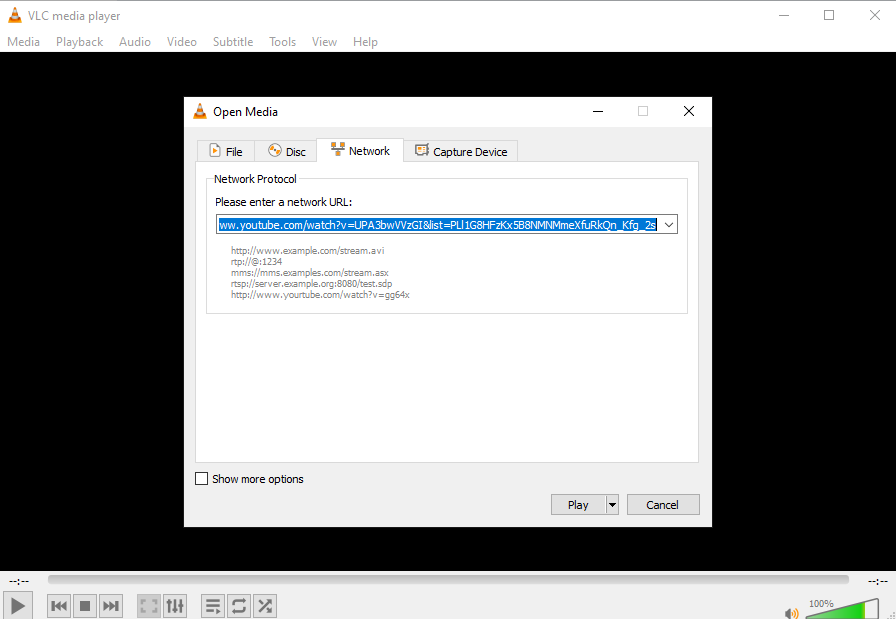
- Go to Media > Open Network Stream, paste the URL of the YouTube video, and hit Play.
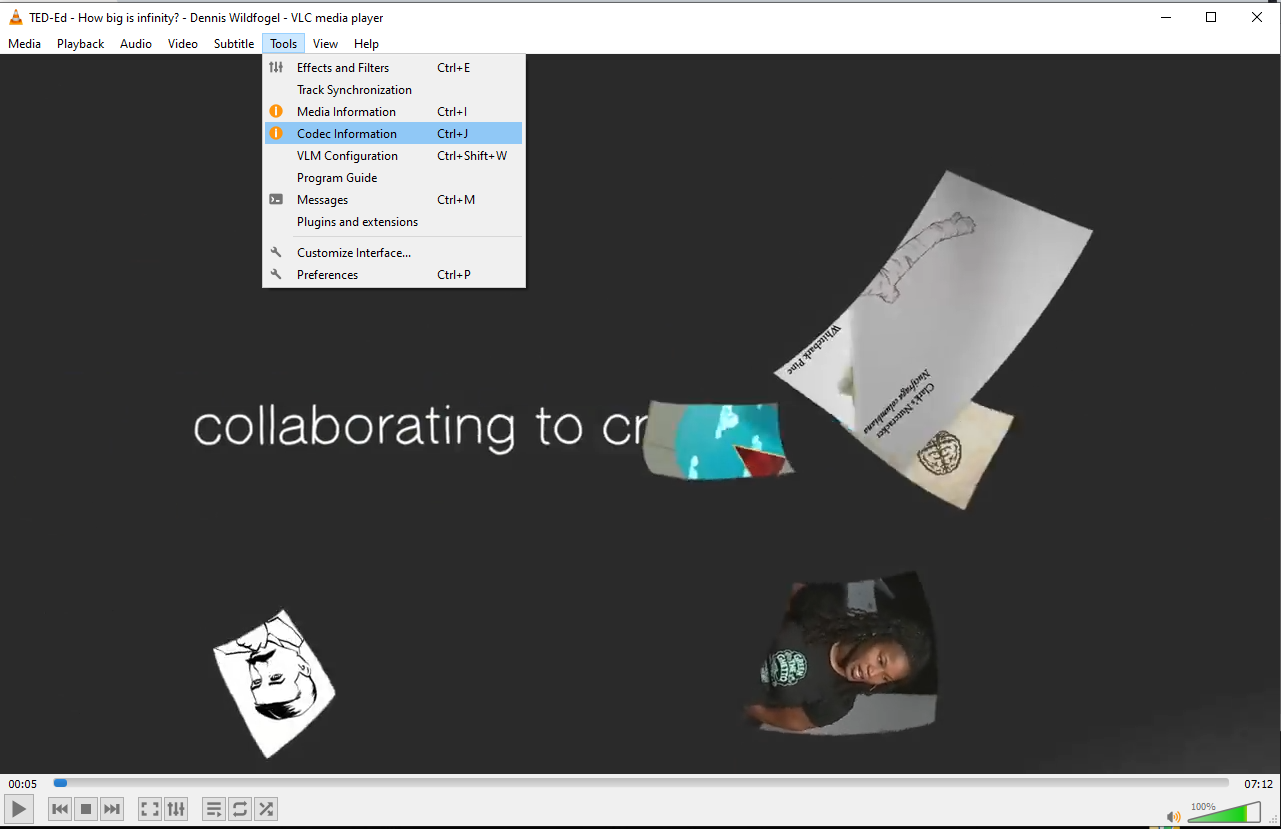
- Go to Tools > Codec Information.
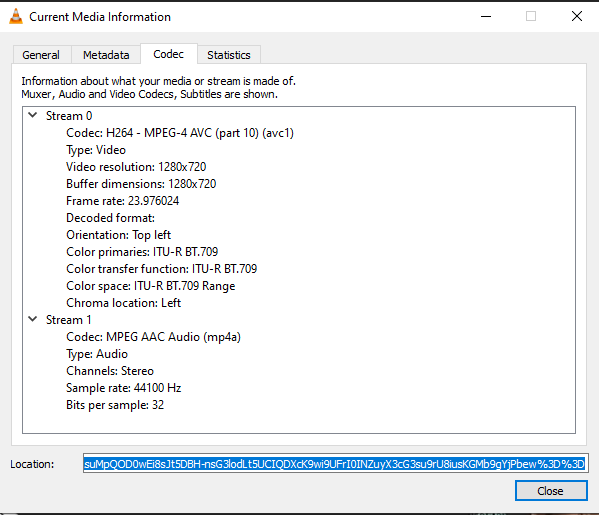
- In the box Location, right click the block of text and click Select All. Copy this text to your clipboard.
- Head back to your web browser and paste this text into the address bar.

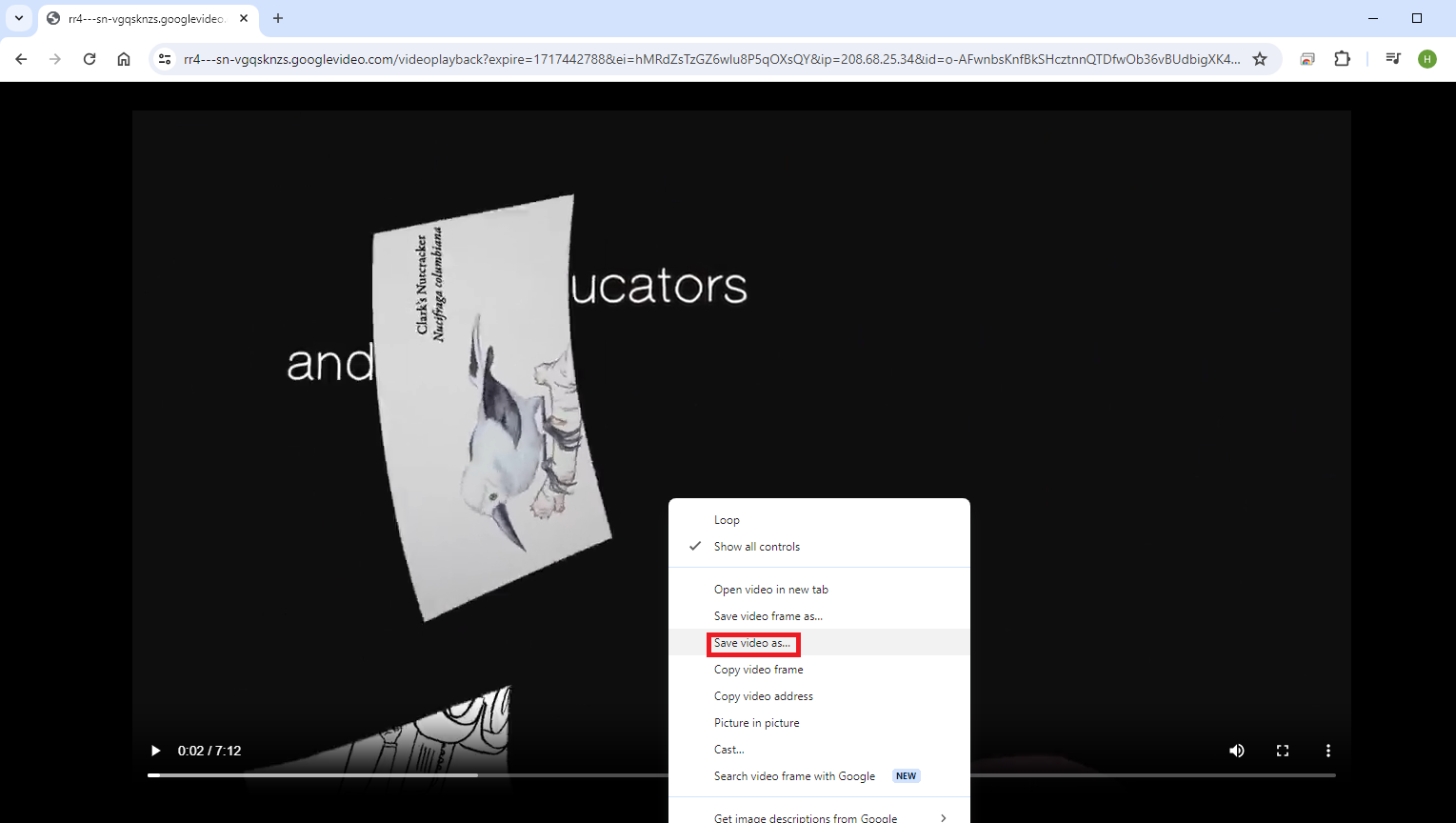
- Right click the video and hit Save video as... and the video will download.