Black window/High contrast stuck on
Version 3.1 by Eric Kemppainen on 2022/12/22 12:47
Fix:
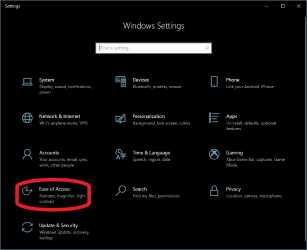
- Go to setting via the Start Menu
- Click on "Ease of Access" (System is highlighted in the picture, you do not want system.)
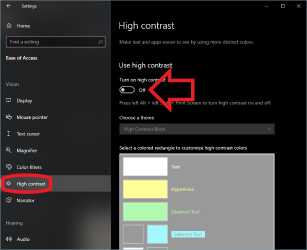
- Click on 'High Contrast', then toggle 'Use high contrast' to the off position.