

How to delete a wireless network profile in Windows 10
Last modified by lmotowski@remc1_org on 2026/08/19 16:34
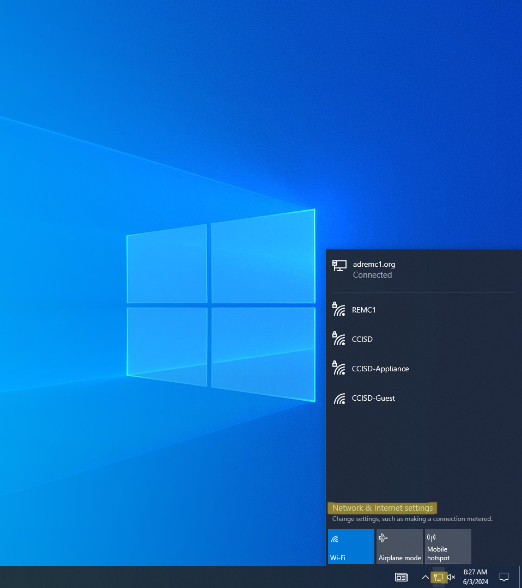
- Click the Network icon in the lower right corner of your screen.
- Click Network settings.
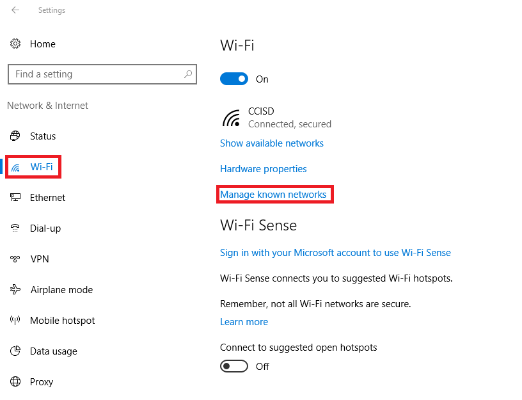
- Click the Wi-Fi tab in the left column (probably already selected)
Click Manage known networks
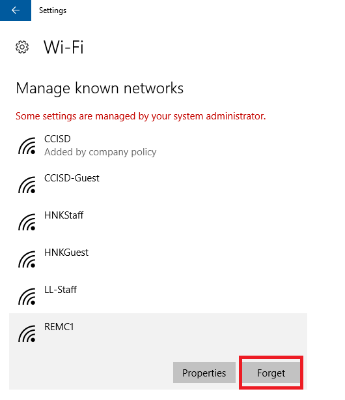
- Click the network you want to delete.
- Click Forget. The wireless network profile is deleted.
You can then re-add the network as you normally would.