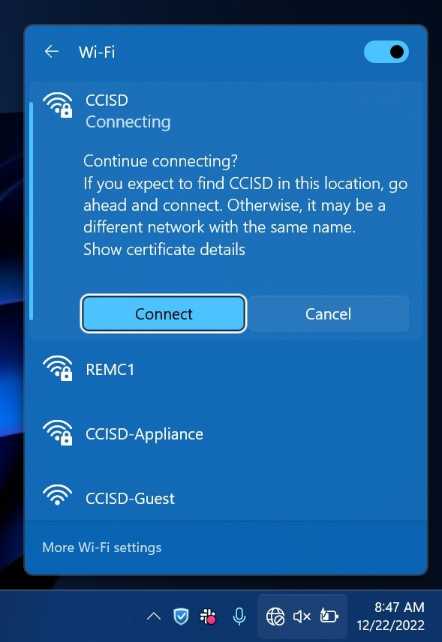
Connect Windows 11 to Wireless
Last modified by Eric Kemppainen on 2026/08/19 16:35
First, start by installing our certificate here.
Next click on the wireless icon in the taskbar, select the network (Staff or Student, please don't connect to the appliance network) and enter your email and your password and then click OK.

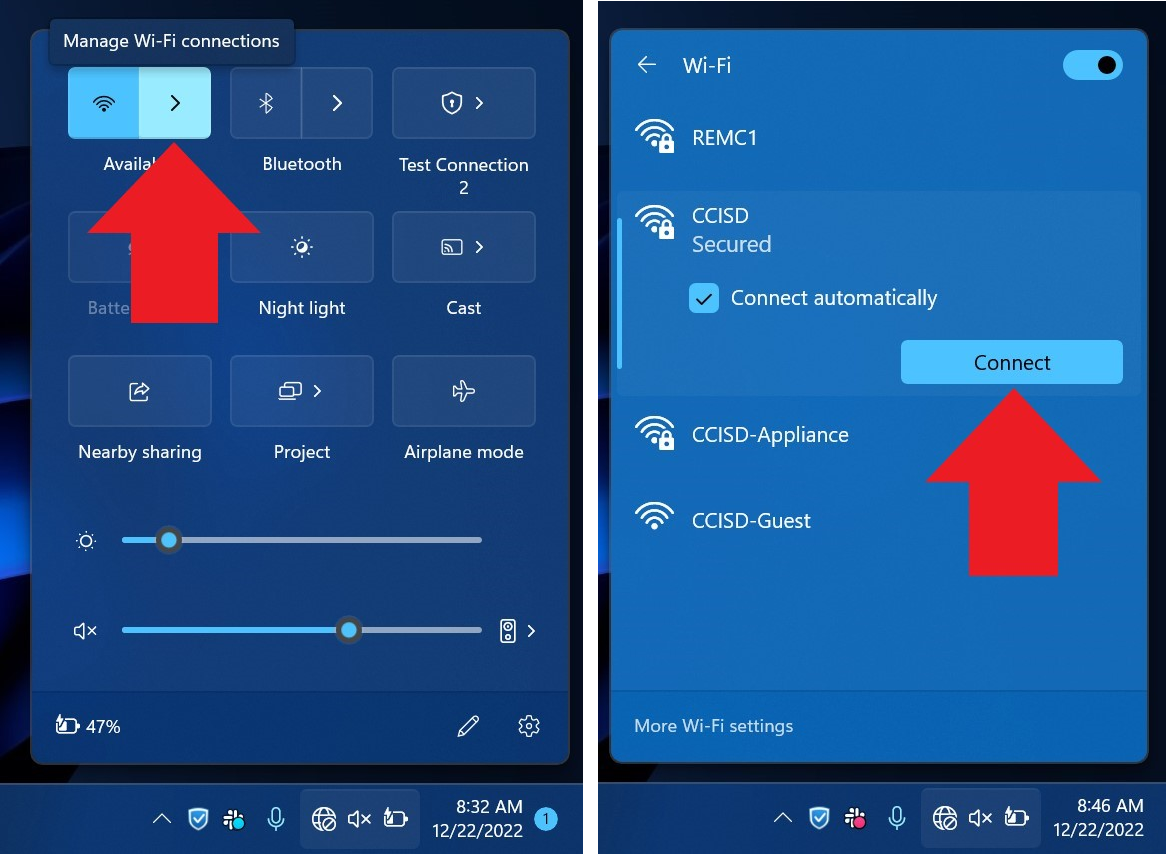
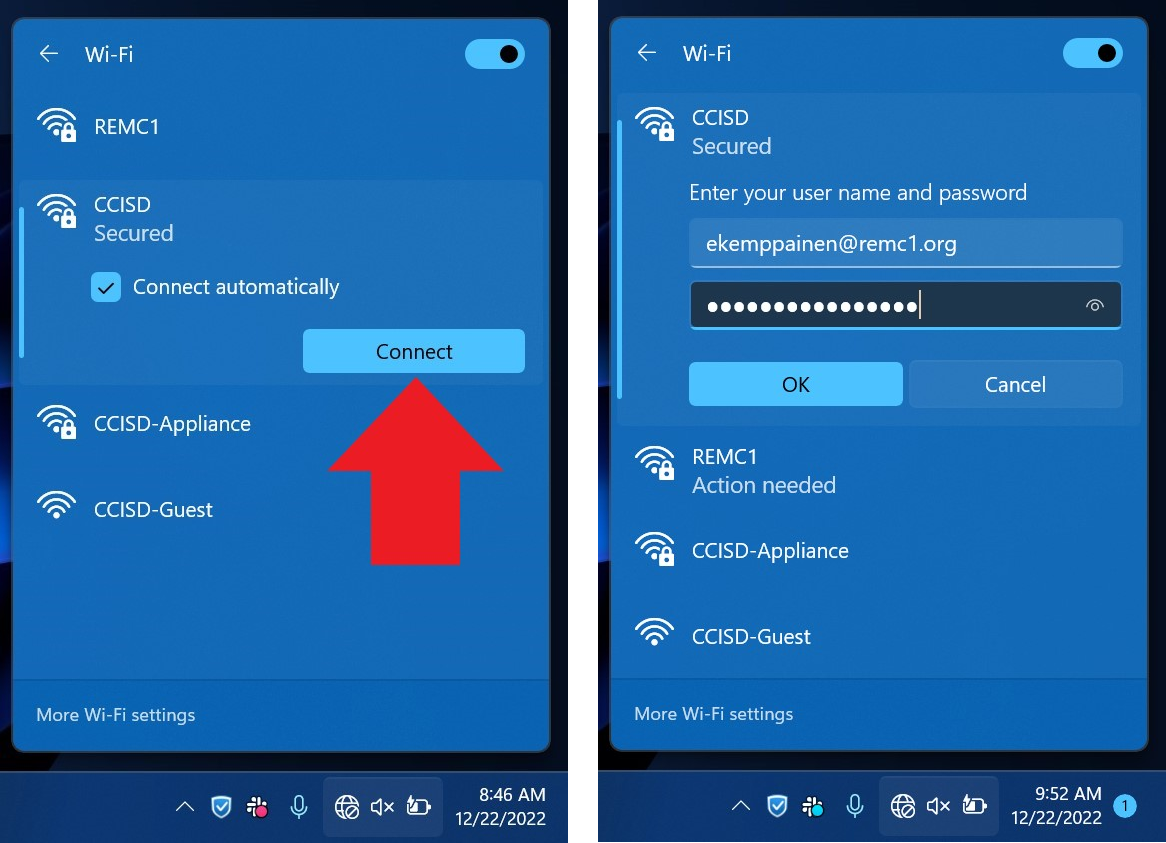
Finally, click Connect.